Text Watcher Message Spy apk Download

Posted by Unknown Jumat, 30 Agustus 2013 0 komentar
Text Watcher Message Spy apk Review
Text Watcher Message Spy apk

Category : Tools

Requires Android : 1.6 and up


Originally posted by http://leadbug.blogspot.com


Description of Text Watcher Message Spy apk

Apk Download
Complete and discreet Android phone tracking.
Track a Target devices text messages in real-time.
NO SUBSCRIPTION REQUIRED!
By installing Text Watcher Full Version on a Target Android device, you can view all incoming/outgoing texts remotely.

Parents now have a wonderful tool to be sure their children are always safe from bullying or other troubling situations.

To use Text Watcher, install it on your own device, and follow the instructions.

• SMS Tracking including date, time and number.

• MMS Tracking

• Tracking happens in real-time, and even after power off/on and reboots.

• Runs discretely and invisibly.

• Text Watcher is a Limited Company and operates its software worldwide.

State of the art mobile tracking technology is now at every parents fingertips. Keep your loved ones safe at all times.


Android Apps Spy Apps for Android - Text Spy - Text Message Spy
spy SMS text messages apk; SMS Spy apk; text spy app; free android spy apps; mobile spy apk; spy apk; free spy apps for android; spy sms apk; androidspy net tc; Free

Monitor and Record Text Mesages with Cell Watcher.
Best Cell Spy Monintoring Software Cell Watcher allows you to monitor your child's or employees cell phone activity: Monitor EMAILS, TEXT MESSAGES, CALLS, AND

Track-Cell.com - Spy On Any Cell Phone
Access their SMS data, emails and text messages. Cell-Watcher is the ONLY cell spy software on the market that installs remotely onto the target cell phone.

1 Hacker: Free App to Spy lover's text messages without having his ...
spy on a cell phone without having it how to read someones text messages without their phone. can you hack someones sms messages without the phone

how to spy on text messages free - YouTube
how to spy on text messages free detector911 Get copies of all incoming and outgoing SMS Text messages coming to and from the target phone!

The Best Cell Phone Monitoring Spy Software
Track every move your spouse, child, partner or employee is making using our powerful mobile cell phone monitoring spy software.

Monitoring Software - Text Message Monitoring
Spy software for Text Message Monitoring is what we know best. We also have a FREE Spy Phone Ebook. cell watcher; spy on non smartphones; nokia text message;

Easy Spy - Cell Phone Spy
Spy On Any Cell Phone Without Having Access To The Phone. Get text messages, call recordings, GPS and more sent right to your own cell phone. No Access Needed!

Cell phone tracker - Text Message Monitoring
Spyware For Cell Phones Which Phone Spy Software Is Best If you are searching for information about spyware for cell phones, you know that it can get a little bit

Top 3 Android Phone Apps for Spying on Text Messages and Call ...
If you just want to spy on text messages and call history quickly and on the cheap, SMS Box via the app market is your best bet only costing $30 bucks.


Baca Selengkapnya ....

Free Zone - Free WiFi Scanner apk Download

Posted by Unknown Kamis, 29 Agustus 2013 0 komentar
Free Zone - Free WiFi Scanner apk Review
Free Zone - Free WiFi Scanner apk

Category : Tools

Requires Android : Varies with device


Originally posted by http://leadbug.blogspot.com


Description of Free Zone - Free WiFi Scanner apk

Android
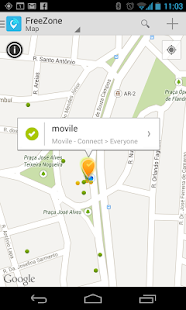
FreeZone helps you find free WiFi hotspots, and automatically connects you every time you're nearby. It's the easiest way to stay connected and to save your data plan for when you really need it!

FreeZone scans for WiFi in a simple and more intelligent way, so you can spend more time browsing and less time worrying about your connection.

.-. .-. .-. .-. .-. .-. .-. .-. .-. .-. .-. .-. .-. .-. .-. .-. .-. .-.

•.★.• THOUSANDS OF HAPPY AND SATISFIED USERS! •.★.•

★★★★★ I heard my phone make a sound and didn't know what it was for so I turned my screen on and seen a weird notification and was rather shocked that it let me know I was connected to the internet. it's pretty awesome!

★★★★★ Walked into a random restaurant and boom, picked up wifi right off the bat.

★★★★★ Love it. I'm an assistant truck driver and this app makes those long rides awesom3;)

.-. .-. .-. .-. .-. .-. .-. .-. .-. .-. .-. .-. .-. .-. .-. .-. .-. .-.

EasyConnect: Let your phone do the work for you

Connecting to Free Wifi hotspots often require a lot of effort. With FreeZone, there's no need to worry: if any free networks are in range, you are automatically connected while your phone is still on your pocket. After that, you're free to share on Facebook, Watch videos on YouTube, Tweet, Snapchat, and whatever else!

FreeZone Community: Keeping everyone connected

FreeZone can also connect you automatically to free closed public networks other members of the Community have shared. You can help too: add the WiFi password for that restaurant or coffee shop to FreeZone so the next person won't have to ask the waiter for it.

FreeZone Premium: Easiest way to high-quality WiFi worldwide

We know it's difficult to find WiFi for free everywhere. For those places, you can count on us to deliver premium WiFi service that connects you automatically to more than 700.000 high-quality hotspots worldwide.

Always be connected with FreeZone!

--●----------------------------------------------------------●--

Free Zone requires the latest version of Google Services for its Map functionality.

This is not a WiFi hacking tool.

Comments, suggestions or doubts? Visit our Support Page at https://freezone.zendesk.com/hc

--●----------------------------------------------------------●--


Apk Review Free Zone Wi-Fi (Android) - Download - Softonic
Free Zone Wi-Fi is a search engine for open WiFi networks, as well as a social network where you can share and discover access points around the world.

hhg5xx default wep key scanner free - Download - 4shared
hhg5xx default wep key scanner free - download at 4shared. hhg5xx default wep key scanner free is hosted at free file sharing service 4shared.

Retina WiFi Scanner Free Download - Wireless Detector
Download Retina WiFi Scanner - Discover all active wireless devices and connections on a company network

Download Retina WiFi Scanner 1.0.3.40 - Softpedia
Retina WiFi Scanner was designed to be a comprehensive wireless detection tool that incorporates Retina Network Security Scanner technology to discover all active

Free Zone 5.11.6 APK - Accede a redes WiFi gratis desde Android
Free Zone es la forma más fácil de encontrar y conectarse a redes Wi-Fi gratis. Basta estar dentro de la zona de una red gratis y tu teléfono se conectará

APKDAD
Free APK from Play Store Current Version: 1.236 Requires Android: 2.3 and up Category: Arcade and Action V1.236 update: 1.236: Fix fun wheel 1.233: Loot items

Free Download APK Android Applications and Games
Free download APK file for your Android device. Free Android APK applications, games, and many more.

Top Paid Android Apps Pack - 28 April 2013 [ANDROID-ZONE ...
FVD Ad-Free v3.6.8.apk GalaxSim Unlock v2.0.1.apk android-zone.org.apk Lustre (adw go apex theme) v1.3.4.apk 3G, WIFI v3.1.1.apk Mobile Doc Scanner (MDScan

Descargar Free Zone 3.3.4 APK Encuentra y conéctate a redes ...
Lo magnífico de esta apliación es que los usuarios pueden compartir las mas recientes redes WiFi que hallen en la Comunidad Free Zone, Descargar Free Zone (APK)

Wi-Fi - Wikipedia, the free encyclopedia
Wi-Fi, also spelled Wifi or WiFi, is a popular technology that allows an electronic device to exchange data or connect to the internet wirelessly using radio waves.


Baca Selengkapnya ....

AlarmDroid apk Free

Posted by Unknown 0 komentar
AlarmDroid apk Review
AlarmDroid apk

Category : Tools

Requires Android : 2.1 and up


Originally posted by http://leadbug.blogspot.com


Description of AlarmDroid apk

Apk Download
[AlarmDroid is also localized to Bulgarian, Brazilian Portuguese and Greek, even if this can't be displayed in the Android Market]

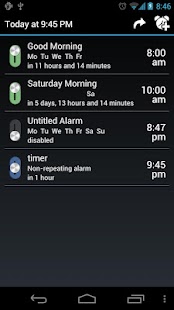
AlarmDroid is a feature-rich alarm clock application. It is created to give every Android-User the opportunity to wake up his(her) own way, not caring about whether he(she) is an early bird or a morning grouch.
AlarmDroid's special feature is the flip'n'snooze feature, which allows the user to turn the alarm clock back into snooze mode by turning over the phone. Further, it provides a speaking clock, which does not only announce the time but even the local weather conditions.
These and more features are waiting to be discovered by you! Even internet radio stations are supported as alarm tone.

(I recommend to install "Rings extended" additionally)


--- Credits ---
I want to thank all people who take the time to translate this project. People from many different countries are enjoying your work!
And I want to thank Jake Wharton whose library project ActionBarSherlock allows full action bar support also for Android 2.x devices.

--- I support you ---
Unfortunately, it seems to be nearly impossible to develop an application like AlarmDroid which works on every available (and very different) Android device and version perfectly. So if there appear any bugs, please send me an email and I will find a solution for this problem! Thanks! :)
fabian@netzpurist.de

--- Please also support me ---
It costs a lot of time/money to develop and improve AlarmDroid. And to answer the tons of emails I get every day. Therefore, any support (particulary financial support) is very appriciated. More details at
http://www.netzpurist.de/2010/10/donate/


Free Download Apk APKDAD
10.06.2013, No Comments, Android Apk, by apkdad, 17 views. Current Version: 1.5.4 Requires Android: 2.2 and up Category: Tools V1.5.4 update: - v1.5.4 : Minor fix

FxGuru: Movie FX Director Apk v1.0.4 | Apk Free Download
FxGuru: Movie FX Director Apk v1.0.4 free, FxGuru: AlarmDroid Pro Apk v1.12.8; System Tuner Pro Apk v2.5.9; Falcon Pro (for Twitter) Apk v1.6.2a;

Adobe Flash Player Apk Android Free Download (Latest Version ...
Since Adobe has discontinued to support flash on Android you have to manually Download adobe Flash Player apk and install..

Android Applications Archives GetAndroidStuff
AlarmDroid Air Call-Accept (free) Moto X Camera Apk Android mp3 downloader Animated Weather Pro Cloud Print Yandex Shell Apk Battery Doctor Dr. Web Camera 360

Kumpulan Foto Cewek Telanjang , Montok , Cantik , Sexy Dan Hot ...
AlarmDroid Pro apk v1.12.6 download; MAGIX Mp3 Deluxe MX 18 + Keygen; Kaspersky Internet Security 2013 + Key Files; System Tuner Pro apk v2.5.9 download;

apk android: VCE Mobile v6.3 Apk App
Install the apk file 2. Run the app and select activate 3. It's says ''checking license AlarmDroid v1.10.5 Apk App; Perfect App Protector Pro v5.2 Apk App;

Best Android Alarm Clock Apps 2013 - Android News & How to ...
Download AlarmDroid for Android devices from Google Play Store here. How to install CyanogenMods cLock APK for a Best Android Weather Apps 2013

WALKMAN Player v6.0.A.0.11 (Free) | GTI-APK Android Apps
WALKMAN Player v6.0.A.0.11 (Free): GTI-APK Android Apps Se supone que necesitamos tener la versión y el reproductor del Sony Xperia S v6?????.

Video Clips - Final4Ever Community - Final4Ever Forums - Free full ...
Video Clips - 18+ Section New posts: Hot thread with new posts: No new posts: Hot thread with no new posts

Alarme anti-roubo para Android No site Atrappo | Android iPhone ...
alarme anti-roubo pro apk; alarme anti-roubo touch java; AlarmDroid; Não Me Toque (anti-roubo) Zoner AntiVirus Free; Prey Anti Theft; Dr.Web Anti-virus; Gentle


Baca Selengkapnya ....

UltraChron Stopwatch Lite apk Free

Posted by Unknown Rabu, 28 Agustus 2013 0 komentar
UltraChron Stopwatch Lite apk Review
UltraChron Stopwatch Lite apk

Category : Tools

Requires Android : 2.1 and up


Originally posted by http://leadbug.blogspot.com


Description of UltraChron Stopwatch Lite apk

Android Apk
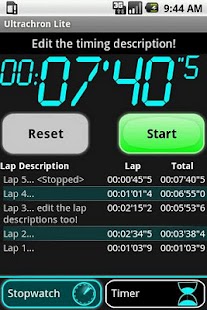
Ultrachron Lite is an easy to use digital stopwatch & talking timer that is responsive and accurate.

Great for cooking!

"Ultrachron is firmly entrenched on my list of must-have apps for Android. The free Lite version is fantastic, but for $1 you get some great extra features. I'd pay $1 just to support the developer." - Brent Rose, PC World

Features:
•Talking stopwatch/timer
•Set timer with voice
•Large display
•Lap Times
•Editable descriptions
•Email timing reports
•Wakes phone
•Persistent notifications

No Ads!


Free Apk Android Freeware: Browse the PRODUCTIVITY category
StopWatch & Timer is an Android application that APKatcher is an utility application that makes it possible to install APK files that you UltraChron Lite

- Fars-GSM by Booali
: 1_Click_Direction_[GPS]_v1.2.8.apk Advanced_Task_Killer_v1.7.4_[full].apk : widget.weather2_ver5.3.apk wallpaperplus_ver3.2.apk Swype.apk stickypad.note

1380_Paid_Android_Apps_Games_Updated Torrent Download
Download Crutch Lite.apk 0 MB; Dr. Droid (1.2).apk 1 MB; DreamStreamoid Pro v0.81.apk 0 MB; UltraChron Stopwatch & Timer (1.6.3).apk 0 MB; UnZip.apk 0 MB; UniWar

3500 Android Application and Tools and Games Torrent Download
alien_blood_bath_2_lite.apk 0 MB; alpacino.apk 1 MB; alphamixr full word game version 1.2.4.apk 1 MB; alsalah.apk 0 MB; always flash v1.3.1.apk 0 MB;

| ...


Descargar Megapack 700 aplicaciones/juegos para android Gratis (FS ...
(2.8).apk IVoice Browser (2.0).apk iZen Lite (1.3).apk Japanese Phrases with .apk Ultra Notes Enhanced (2.2).apk UltraChron Stopwatch & Timer (1.6.3).apk

| TELECHARGEMENT GRATUIT | FREE DOWNLOAD
iZen Lite (1.3).apk Japanese Phrases with Audio (1.0).apk Ultra Notes Enhanced (2.2).apk UltraChron Stopwatch & Timer (1.6.3).apk UniWar.v1.0.3.apk UNO 3.2.6.apk

...
1- APK Ultimate Stopwatch; UltimateFavesPRO; UltraChron Lite; Underground; Uninstaller; UniQPass; United States Constitution;

Collections - Apps dan Games Android - Indowebster Forum - Dari ...
- Tata cara download dan install apk (file Android) - Kalau mau rekues APPS atau GAMES, silahkan langsung dithread.

Pack de aplicaciones y juegos para Android (unas cuantas)
iZen Lite (1.3).apk Japanese Phrases with Audio (1.0).apk UltraChron Stopwatch & Timer (1.6.3).apk UnZip.apk Usefull Switchers (1.2.4).apk uTalk (1.0).apk


Baca Selengkapnya ....

New version of IFC Exporter for Revit (v2.13/v3.5) and IFC Export Alternate UI for Revit (v1.13/v2.5) available

Posted by Unknown 0 komentar
2013:

IFC Exporter for Revit 2013 (v2.13):

IFC Export Alternate UI for Revit 2013 (v1.13):

2014:

IFC Exporter for Revit 2014 (v3.5):

IFC Export Alternate UI for Revit 2014 (v2.5):


What’s new for IFC Exporter for Revit v2.13/v3.5:
General

- Initialize GUIDOptions so that GUIDUtil.CreateGUID(element) can be used outside of the exporter code.
- Remove filterView argument from many functions; used cached value instead.
- Various minor optimizations to slightly improve the time to export.

New Functionality

- (R2014 only) IFC4: Allow export of 0 thickness material layers.
- (R2014 only) IFC4: Export IfcFootingType (IFC2x3: use IfcTypeObject instead) for wall-based footings only.
- Allow export schedules as custom property sets.  The name of the schedule is the property set name; the column names are the IFC parameter names.
- Allow export of solid models, which allow for mixing Brep and extrusion geometries for an entity.  This can result in smaller IFC files.
- Export IfcCurtainWallType (IFC2x2: use IfcTypeObject instead).
- Export the currently selected non-primary design option when exporting in current view only mode.
- Use the base level parameter of an element to determine which level to associate the element to; use geometric containment only for cases where this is no base level.

Bug Fixes

- Don't export some extraneous local placements.
- Don't export type if instance isn't exported for family.
- Fix Pset_CoveringCommon: Thickness -> TotalThickness
- Generic rework of how instance and type properties are assigned to IFC entities.  If an exported entity has a related type object, then the entity will have the instance properties assigned, and the type object the type properties.  If there is no type object, the exported entity will contain both instance and type properties.  This should also remove any repetition of exported property sets.
- Look at all "ZoneName X" shared parameters for a room even if some have no value.  This still assumes that they are sequential (i.e., if there is no "ZoneName 4" shared parameter at all, "ZoneName 5" will not be processed).
- Prevent export of IfcPolyLoops with less than 3 vertices.
- Properly scale all known Revit parameter types to the units specified for the IFC file.  Note that there are potentially many Revit parameter types that map to one unit type (e.g., PipeSize, WireSize, and Length are both length parameters); we do not create different units for each of these, but instead use the main unit type.
- Respect visibility options of curtain wall panels and mullions when exporting in current view only mode.
- Use category id as default for IfcCoverings for ceilings, floors, and roofs.


What’s new for IFC Export Alternate UI for Revit v1.13/v2.5:
New Functionality

- Add UI version number to title of the IFC Export dialog box.
- Add option to export schedules as custom property sets.  The name of the schedule is the property set name; the column names are the IFC parameter names.
- Add option to export solid models, which allow for mixing BRep and extrusion geometries for an entity.  This can result in smaller IFC files.
- Remove option to disable surface styles on export.
- Remove option to export advanced swept solids.
via email

Baca Selengkapnya ....

Snapdragon™ BatteryGuru apk Last Update

Posted by Unknown 0 komentar
Snapdragon™ BatteryGuru apk Review
Snapdragon™ BatteryGuru apk

Category : Tools

Requires Android : 4.0 and up


Originally posted by http://leadbug.blogspot.com


Description of Snapdragon™ BatteryGuru apk

Free Download Apk
Snapdragon™ BatteryGuru is a battery life saver app that extends battery performance and improves overall user experience by intelligently making changes that optimize device functionality in phones with Snapdragon mobile processors. This app:
• Delivers longer battery life with fewer charges, acting as a battery life extender
• Intelligently learns how you use your Snapdragon-powered smartphone and optimizes your device without disabling smartphone functionality
• Requires no user configuration - Snapdragon BatteryGuru automatically learns and adjusts the smartphone settings so you don’t have to

After a brief 2-4 day introduction period, Snapdragon BatteryGuru learns the user’s behaviors and then notifies the user that it is ready to extend the battery life and improve the experience. Snapdragon BatteryGuru continues to operate in the background, deepening its understanding of the user and further optimizing the experience over time.

Snapdragon BatteryGuru battery saver app supports a majority of Snapdragon powered devices and we will continue to work to support additional Snapdragon powered devices. If you experience problems using this battery saver app, we'd really appreciate if you send us an email at batteryguru@qti.qualcomm.com explaining your problem prior to leaving a review – we’ll try to respond as soon as possible.

Trending Questions
Q. Why does Snapdragon BatteryGuru need to know my location?
A. Snapdragon BatteryGuru uses your location to know the places where you have access to Wi-Fi. It does not use GPS but instead uses Android’s low power network location mechanism to find your approximate location.

Q. Why is my Wi-Fi ON sometimes, when I’m expecting it to be OFF?
A. Snapdragon BatteryGuru’s Wi-Fi management feature turns Wi-Fi on when you need it and turns it off when you don’t, thereby saving you power. However, even when you don’t have Wi-Fi access Snapdragon BatteryGuru will periodically turn Wi-Fi on for few minutes to check if your ability to access Wi-Fi has changed. Likewise when you move to a new location, BatteryGuru will turn Wi-Fi on for a few minutes to check if Wi-Fi access is available. Fear not, turning on the Wi-Fi radio for a few minutes like this has little or no impact on your battery life.


Android Snapdragon BatteryGuru (Beta) apk: Better Battery Life from Your ...
Qualcomm comes with a powerful and official application for all Qualcomm Snapdragon processors, this application is called BatteryGuru and is for the moment in Beta

Snapdragon BatteryGuru (v1.5.0) Apk - Droidship
Requirements: 4.0+ Overview: Snapdragon BatteryGuru extends battery performance and improves overall user experience by intelligently making changes that optimize

Snapdragon BatteryGuru (Beta) - Android - Apk
Snapdragon BatteryGuru extends battery performance and improves overall user experience by intelligently making changes that optimize Snapdragon device functionality.

Snapdragon BatteryGuru apk download Archives | All-ApkAll-Apk
Snapdragon BatteryGuru 1.8.1 Description Snapdragon BatteryGuru is a battery life saver app that extends battery performance and improves overall user

Snapdragon BatteryGuru v1.5.1 APK Free Download
Snapdragon BatteryGuru v1.5.1 APK Free Download Requirements: 4.0+ Overview: Snapdragon BatteryGuru v1.5.1 APK extends battery performance and improves overall

Snapdragon Battery Guru - Download - 4shared
Snapdragon Battery Guru - download at 4shared. Snapdragon Battery Guru is hosted at free file sharing service 4shared.

Snapdragon BatteryGuru (Beta) - Apk - Android Apps Free Downloand
Snapdragon BatteryGuru extends battery performance and improves overall user experience by intelligently making changes that optimize Snapdragon device functionality.

Snapdragon BatteryGuru .apk Android Free App Download | Feirox
Snapdragon BatteryGuru is a battery life saver app that extends battery performance and improves overall user experience by intelligently making changes that

snapdragon battery guru - Download - 4shared - Melvin White
snapdragon battery guru - download at 4shared. snapdragon battery guru is hosted at free file sharing service 4shared.

Snapdragon BatteryGuru (Beta) | Android Apps (Free APK)
Aptoide is the largest independent Android app store and allows one to setup and manage your own Android Market. Upload, test and approve your apps.


Baca Selengkapnya ....

Creating Revit Geometry from Point Clouds (Points to BIM workflows)

Posted by Unknown Selasa, 27 Agustus 2013 0 komentar
Update:
I am enjoying using inverted background (black) when working with Revit and point clouds.

Also, you MUST use this add-in by Harry:
What Revit Wants: 3D Section Box crop add-in WITH automatic rotation - Boost Your BIM


I find it interesting that we can receive a point cloud (laser scan) of a project, which essentially describes the geometry and colour of the whole 3D space, and yet have to re-model everything in Revit elements to make it actually useful in a BIM / FM context.

It reminds me of the early days of document OCR - you could scan a document, but there was no easy way to infer the intelligence (text) of the document.  Happily, OCR software improved, and I hope that geometry-from-point-cloud automation will also improve.  Bring on the automatic, one-click "Make a Building from my Point Cloud" solution.  In the meantime...

This post is about my experience working with point clouds and Revit 2013 on a recent project.  I explored various different workflows and add-ins.  I will add to this post over time to make it as useful as possible.

On the project in question, we received the following from the surveyor:
  • Leica TruView data set
  • RCS point cloud
  • PTX point cloud
A note on file formats: PTX files keep scanner information (including roto-translation in the head, each point keeps all information XYZIRGB, allowing surface normals to be calculated).  Interestingly "Many scan packages including Polyworks, Rapidform, and MeshLab read the PTX format and offer meshing operations that will allow you to create a polygonal mesh from a PTX". PTS files are simply the point locations and RGB values, each point forming a new row of data in the file. (more here)

We did not receive:
  • 3D geometry or Revit elements of any kind
We knew that:
There are a number of different workflows available:
  • native Revit tools (in my case, using Revit 2013)
  • Scan to BIM add-in by Imaginit / Rand (around $3000 for Standalone license)
  • Leica Cloudworx for Revit (around $4000)
  • Visualizing in Navisworks and modelling in Revit
  • Revit 2012 and the Point Cloud Feature Extraction labs add-in (if you can find it anywhere)
  • using Point Clouds in the Revit Family environment
Note 1:  I initially had problems using a combination of Revit 2013, Scan to BIM and Leica Cloudworx.  For example, Wall Region Grow would report "No points found in this area?"  However, if you zoom in and click exactly on a visible point from the Cloudworx point cloud, Scan to BIM should be able to pick it up.  A representative of Imaginit / Rand reports that Clients often do use both tools together.

Note 2:  Note 1 is apparently a known issue.  Workaround with 2014 and Recap is to bring the raw format scan into Recap, export it out as a .pcg file. Create a new project inside of recap and bring in that pcg file and save that off as a rcp... that error msg should no longer appear. (Thanks Cheyne Bird, IMAGINiT Australia)

Initial thoughts:
Scan to BIM seems to be the better tool for feature extraction and geometry creation, while Leica Cloudworx puts you in direct contact with the original point cloud data - not decimated by Revit.

General Tips:
  • Revit will consume big amounts of memory when working with large point clouds
  • Rule of thumb - indexing a 27 gb PTX
    will result in a 7gb PCG and
    will take about 7 hours for a mid-range PC.
  • Indexing 2 x 27 gb PTX using Recap version 1.0 and basically default settings
    about 6 hours
    8gb for new PCG
  • Working with 2 of these 7gb PCG files in Revit 2013 on XP64 with Scan to BIM will consume about 11gb of RAM easily.  You may have to periodically close and re-open Revit, depending on your system specs.
  • Working on the same point files using Cloudworx will consume about 2gb of RAM, depending on your view settings.
  • If you are using Revit 2013 and you want to restrict Revit from highlighting (pre selecting) a point cloud, which can be annoying, just place it in a Design Option.  It seems that Scan to BIM can still interact with a Point Cloud in a primary option of an option set.
  • Did you know that Point Clouds when imported to Revit have a Phase Created and a Phase Demolished parameter?  Revit respects this when it comes to Phase Filters and Graphic Overrides - keep this in mind if you can't 'find' a point cloud in your project.
  • You will be working in 3D a lot, and making lots of 3D views cropped to section boxes.  I recommend that you set keyboard shortcuts for:
    Orient to a Plane, and
    Set Current View as HomeUsing these shortcuts, you can quickly reorient yourself and use the Viewcube properly.
  • The above workplane shortcuts work well after using the "Set Workplane" tools in the various add-ins.  After triggering Orient to a Plan, just click OK.  When Revit says -not associated-, it means 'use the current workplane'.  You should also set and use a keyboard shortcut for the Show Workplane button on the Home tab.
  • When making a new 3D view, the quickest way is to select an existing Section Box and copy it using Revit copy (not Ctrl C) and drop it close to new desired location.  It will appear in Project Browser with same name as previous 3D view, but with any digit on the end of the view advanced by 1.  This is actually better than using Duplicate View, which adds this silly "Copy of" to the front of the new view name.
    Note: This new Section Box will also remain selected, so you can adjust the crop before switching to the newly created view
  • You may wish to turn off "Snap to Remote Objects" in your Revit snaps, these can get in the way when working with Scan to BIM, and Point Clouds generally
  • To facilitate setting of a Workplane based on already modelled geometry, I made a simple 3 point adaptive component with a surface formed by these 3 points.  You can use Set Workplane to pick this triangulated plane and work from there.


Scan to BIM:

I recommend you watch this video to start:


You can also access an archive of webcasts by filling out this form.

Workflow (walls):
  1. Crop 3D view with Section Box as much as possible
  2. Use Wall Region Grow tool (3 point click on face)
  3. Adjust wall edge extents
  4. Rinse and repeat
Carving - A quick way to reduce the extent of the wall is to use the Split Tool - rather than trying to find the edge, just Split the wall horizontally or vertically or both, and delete the bit you don't need.

Sloping / Slanted Walls - You can either use the Wall by Face option on the Wall Region Grow tool, or create an inplace wall out of extrusions by using the Set Workplane tool.  The latter is preferred if you want to modify the resulting wall in any way.

Optionally - use the "Work on Wall" button, Select Wall, and use the resulting section to edit wall profile, add windows etc.

Workflow (topography):
The topo creation tools in Scan to BIM work great.  You essentially get to pick points, choose decimation, and then you get a topo.  Easy, right?  Well, then you have to clean it up.

Workflow (columns):
I suggest you get rid of all column types in the project, and just keep one Round and one Rectangular OOTB column family loaded.  If you use Structural Columns, you can schedule them...
  1. Crop 3D view with Section Box as much as possible
  2. Pick appropriate column tool (Round or Rect)
  3. Make a crossing window over column points
  4. Pick correct column type family or load a new one
  5. Click Create Column
Note - you may have a bit more joy if you switch the 3D view to "Top" before selection the column crossing window

For angled columns, you can use the Slanted - End Point Driven option in the Properties Palette.  In fact, if you want to tweak column height while in a 3D view, switch to Slanted - End Point Driven, adjust using the end points, and then switch back to vertical...

Workflow (floors):
  1. Crop 3D view with Section Box as much as possible
  2. Determine an approximate height for the floor
  3. Sketch the floor outline, using the height from 2
  4. Select the Slab, and then start the Scan to BIM Adjust Slab tool
  5. Select points
Tip - in a 3D view when using the Adjust Slab tool, you may have a better experience if you switch to Wireframe first.  This stops model elements from occluding the Analysis Result that shows you the slab deviation.

Personally, I find the use of Floors to be a bit more frustrating than that of Topos.  It would be nice to have a Floor tool that works essentially the same as the Topo one - select a bunch of points, decimate them heavily, and use them as the top surface of a Floor element.

Workflow (Curtain Walls and Glazing):
This is a simple two point click.  Use "Work on Wall" to make a perpendicular wall section of the hosting wall.  Then click one corner and then the other of the glazed area.  Adjust mullions according to point cloud.

How to get it:
To get Scan to BIM, use these links:

Scan To BIM (Standalone)

Scan To BIM (Network)


Cloudworx / Cyclone:
Installation notes:
  • To use Cloudworx add-in for Revit, you must have Cyclone installed
  • I had a GUID conflict for the Revit add-in when installing Cloudworx, I posted the resolution here
  • I also had a license error.  I had to open Cyclone itself and switch it to VIEWER mode.  I ended up receiving a trial license.dat, and put this in the appropriate folder.
We received a folder containing the Cyclone databases.  The key file is an IMP file.  In Cyclone:
  1. Configure - Databases
  2. Add...
  3. Select the IMP file
  4. The surveyors database will now be accessible to you
To use this data in Revit:
Add-ins, Import ModelSpace View.  Then drill down in the Cyclone database until you find the appropriate view.  I found one based on a known coordinate system and it was a 'unified' view.

You can import multiple point cloud sources.

Cloudworx plugin strips out existing point clouds from the project and replaces it with a database link, that looks like this:


I immediately noticed that navigation (using Revit 2013) was much faster with Cloudworx than with the native PCG files.

As you zoom in and out, Cloudworx will 'throw away' or add points to keep the view relevant to your context (as well as maintaining graphic performance).  Use the Rendering options on the Cloudworx ribbon to set your desired view (such as True Colour).

When you save the Revit project containing the Cloudworx DB link, you will be prompted to save a .cwprj file.  Make sure you do this.  After closing and re-opening Revit, the Cloudworx data will be gone.  You use the Open option from the Cloudworx add-in to recover your previous work (view links, view settings etc).

Workflow:
Once you have imported the Cloudworx database, the essential workflow seems to be:
  1. Clip a view to the elements you want to model
  2. Use the Workplane command from the add-in (this make a new workplane from surrounding points and sets it current)
  3. Make a new in-place family, with geometry (typically extrusions) based on this workplane
  4. Rinse and repeat
What's it for:
Cloudworx doesn't have anywhere near the sophisticated geometry creation tools included in Scan to BIM.  However, it does provide a facility for clipping point clouds, visualizing them, saving view states and setting workplanes.  In terms of exploring the Point Cloud, it is actually the superior tool.  You just can't make anything "Revit" from it.

Leica Cloudworx Training
HDS - Training
Category:Civil/Survey
Module Name:CloudWorx for Revit
Instructor/Presenter:Introductions by Andrea Fournier, Instruction by Michael Harvey and David Langley
Description:This class is an in-depth look at the CloudWorx for Revit software. Follow along with the instructors with the supplied database to practice each of the concepts. Items that the class covers are slicing, clipping, limit box, drafting walls, drafting floors, drafting pipes, and many more.

You need to register before accessing the training...

Heads-up for this training:
revit | POINT CLOUD GURU

Using Points In Families
In videos below, the following workflow is described:
  1. Clip points in Recap
  2. Save as PTS file.   Optionally, compress to LAS using this workflow.
  3. Use a LISP tool like PointsIn or PTSIN to import Point Cloud to a AutoCAD DWG file.  Optionally, place a block element at each point to allow easy snapping in Revit.
  4. Import the DWG to a Revit Family of your choice
  5. Do your modelling, and save and load your Family into the Project.  Recommended - delete the source DWG and purge the Family to decrease overhead.
PointsIn is available at:
Survey Points Import and Create Free AutoLISP (LISP) for AutoCAD

Direct:
http://www.hawsedc.com/gnu/pointsin-v1.0.8.zip

Also, the PTSIN lisp is available at:
FreeCADapps Freeware, Shareware and Evaluation Software

Videos:
Playlist of LTC3D videos embedded below.  Of particular interest:
  • video showing Edgewise workflow (automated pipe creation)
  • video showing the clipping of points in Recap, then import to AutoCAD using PTSIN, then Import to family environment.  This allows creation of component families using point data (alternative method would be to make an in-place family in the project environment and then save to RFA).


Cadalyst and Leica Geosystems Webcast: Point Clouds for Revit Modeling | Cadalyst


Example Scan to BIM project:


Using Navis to visualize point clouds?


Note on using Navis:


Overview of Recap Studio:
Can export PCG from RCS to downgrade 2014 points to Revit 2013...
via BIM blog.ca: Don't recreate... ReCap

Discussion - getting a license for Cloudworx, and a comparison between Cloudworx and native point cloud
Laser Scanning Forum Ltd • View topic - Leica CloudWorx for Revit

Using Cloudworx Plugin:
9.The next stage is to bring in the point cloud from a Model Space. From the Add-Ins tabs choose Import MS View, fill in the correct settings for the Connection String and Coordinate Systems. Note that Cloudworx is automatically defaulting to the internal units of Revit (Feet) but that it is correctly applying a scale factor.via Point Clouds in Revit - BIM Toolbox


Creating Geometry (snapping):
Controlling visibility: Control the visibility of the point cloud on the Imported Categories tab of the Visibility/Graphics Overrides dialog, as well as on a per-element basis. You can switch the visibility of the point cloud on or off, but you cannot change graphical settings, such as Lines, Patterns, or Halftone.

Creating geometry: A snapping feature simplifies model creation based on point cloud data. Geometry creation or modification tools in Revit (such as wall, line, grid, rotate, move, etc.) can snap to implicit planar surfaces that are dynamically detected in the point cloud. Revit only detects planes that are perpendicular to the current work plane (in plan, section, or 3D) and only in a small vicinity of the cursor. However, after the work plane is detected, it is used as a global reference until the view is zoomed in or out.

via the Revit 2013 wiki at
Using Point Cloud Files in a Project - WikiHelp


Scan to BIM workflows PDF:
This is a pre Revit 2012 workflow and uses AutoCAD as middle man quite heavily... it also recommends Scan to BIM:
GORUG Presentation April 5th - Andre Carvalho

AU2011:
Laser Scanning to BIM: If You Look at It Long Enough You Might Model Something

Converting a PTS to LAS for easy import into Revit or Civil3D:
The LAS format is lighter than PTS, convert using free point.zip
via
Civil 3D GURU CONVERGENCE: PTS to LAS POINTCLOUDS in CIVIL 3D


Leica Download links:
Cloudworx Plugin PDF:
 http://hds.leica-geosystems.com/downloads123/hds/hds/cloudworx/brochures-datasheet/Leica_CloudWorx_for_Revit_DAT_en.pdf
Actual Plugin:
http://hds.leica-geosystems.com/downloads123/hds/hds/cloudworx/pc_software/CloudWorxForRevit103.exe

All downloads:
Cyclone Downloads - Leica Geosystems - HDS

Cyclone 8.0 Downloads - Leica Geosystems - HDS
Direct: http://hds.leica-geosystems.com/downloads123/hds/hds/cyclone/pc_software/CycloneSetup803-x64.exe

Leica TruView direct download: http://hds.leica-geosystems.com/hds/en/TruViewSetup30.zip


More tips:
the portion of the point cloud visible between the bottom extent and the cut plane is visible.Visibility of Point Clouds - WikiHelp

Once indexed, be sure to link in each PCG file using the "Auto - Origin to Last Placed" option in the "Link Point Cloud" dialogBest Practices - Working with Multiple Point Clouds in Revit - WikiHelp


Other stuff:

It goes without saying that you can't interrupt a point indexing process in Revit - you will probably end up with a corrupt point file, as per:


PS.  Why do I have this feeling that this might be my most visited post this year?

Baca Selengkapnya ....
Trik SEO Terbaru support Online Shop Baju Wanita - Original design by Bamz | Copyright of android tv.