Tampilkan postingan dengan label conceptual. Tampilkan semua postingan

Making an Adaptive Grid in Revit (revitbeyondbim video)

Posted by Unknown Rabu, 25 September 2013 0 komentar
It uses nested "divided path" components that are repeated in X and Y directions...


via
http://revitbeyondbim.wordpress.com/2013/07/18/making-a-adaptive-grid-in-revit/

Baca Selengkapnya ....

How to tell your Adaptive Points about gravity

Posted by Unknown Minggu, 15 September 2013 0 komentar
Use the Orientation property...


Baca Selengkapnya ....

Have you heard of GreenSpider? The Revit point cloud importer?

Posted by Unknown Minggu, 26 Mei 2013 0 komentar
It is an interesting add-in for Revit that can import point data into the conceptual environment.  It was written to "narrow the gap between computational concept design, terrestrial laser scanning and Building Information Modeling."

Video:


Download page
Version 2.1 has just been released (25 May 2013)

Introductory page

Some info:
GreenSpider conveniently parses ASCII text files representing 3D vertexes, whether generated by computational modeling software or terrestrial laser scanning equipment.
Once installed through this installer package on Windows-based pc's, GreenSpider 2.1 can be accessed in Revit mass modeling environment.
...
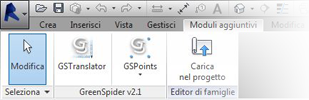
GSpoints and GScurves. The first one simply imports vertex point cloud as reference points in mass modeling environment, while the second traces a spline interpolation among imported points sorted through a TSP process, in order to build surfaces after recursive .GSP imports.
...
Decimated laser scanner point clouds are imported this way in Revit as many times as needed (using a reset function every time in Translator module), and generated curves can be used to originate surfaces very close to their real geometry.


via
GreenSpider - The Autodesk Revit point clouds plugin - TC Project

Heads-up:

Baca Selengkapnya ....

Concept Design for Large Scale Projects

Posted by Unknown Minggu, 17 Maret 2013 0 komentar

Can't see Repeat Button when using Divide and Repeat?

Posted by Unknown Rabu, 13 Maret 2013 0 komentar
Try this:
Make sure that you are using the Face option for placing the component.
Turn off the Original Path by selecting the Divided Path and using:

Start the place Component command.
Make sure that you pick a Node on the Divided Path to place the Component.

The Repeat button should now be visible.

Note: you can set a Node of the Divided Path as a workplane (the Placement Plane dropdown in the Options bar will read "Divided Path"), but placing a Component on such a workplane will likely mean that the Repeat button will be grayed out.


Baca Selengkapnya ....

Making a Seamless Sphere in Revit

Posted by Unknown Senin, 25 Februari 2013 0 komentar

  1. Make a rectangular extrusion form
  2. Make a revolve form using funny looking profile shown above - switch to void
  3. Cut geometry, and then adjust grips as necessary to make it look nice
Download the file 

(dissolve it if you want to see how it works)

In response to:

Baca Selengkapnya ....
Trik SEO Terbaru support Online Shop Baju Wanita - Original design by Bamz | Copyright of android tv.